The sales list and receipts
Find any sale by day or date range, open its receipt, print it or email it again, and see which sales were voided.
Sales lists every sale your salon has made: each checkout, gift voucher bought online and no-show fee. Open one to see its receipt, print it or email it again. The page also holds the end-of-day cash-up and your gift vouchers.
Finding a sale
Open Sales. The Sales tab shows today's sales, newest first.
- Today, Yesterday and This week jump to those days.
- The two dates choose any range, from one day to many.
- The arrows (or ← and →) step back and forward by the length of the range you're looking at: a day at a time for one day. You can't step past today.
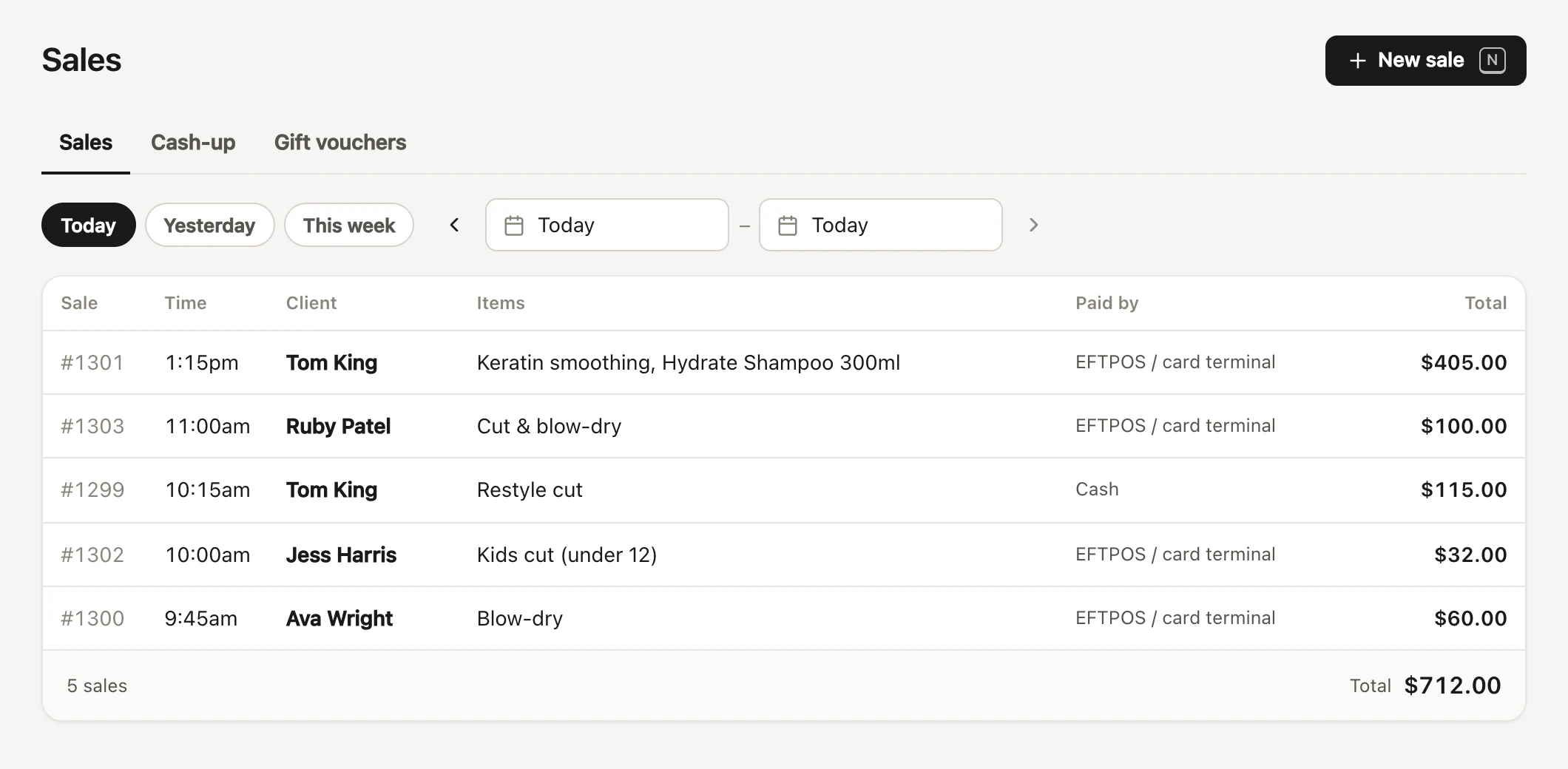
Each sale shows its number, time, client (or Walk-in), what was sold, how it was paid and its total. On a computer, a client's name opens their profile. Over several days, sales are grouped by day with each day's total. To see one client's sales, open their profile instead (client profiles).
Totals on the sales list
The foot of the list counts every sale in the dates you chose and adds up their total, such as "18 sales · 1 voided (not counted)". Voided sales are crossed out, marked Voided, and left out of every total.
The list itself shows the latest 500 sales. When there are more, the totals still count them all, and the foot says "the latest 500 are listed: choose fewer days to see the rest". For a month's takings, or anything broken down by stylist or payment method, use the Overview report, or the cash-up for a single day.
Opening a sale's receipt
Tap a sale to open it. The top shows its number, date, time and who made the sale, with buttons to the client and to View booking. A sale that paid for several clients' appointments lists them.
The receipt shows:
- Your business details and tax number, the receipt number, date and client.
- Each item with the stylist who did it, any discount on it, and who each service was for when one sale covered several clients.
- The subtotal, discount, tax, tips (per stylist) and total, with "Includes GST" when your prices include it.
- How it was paid: cash, EFTPOS, a card's brand and last four digits, a gift voucher's code, account credit, or your own payment types. A deposit paid ahead says "(deposit)"; a card payment given back says "· refunded".
- Any gift voucher sold, with its code, who it's for and its expiry.
- Your message at the bottom of receipts (business details).
Notes made at checkout show under the receipt.
Printing or emailing a receipt again
- Print prints just the receipt.
- Email receipt sends it to the client's email straight away. Without an email on file, it says Email receipt… and asks for an address.
- Email to another address… (in the ⋯ menu) sends it anywhere else, such as a partner paying for a gift.
Voiding a sale from the sales list
A sale entered by mistake is voided from its receipt: open the ⋯ menu and choose Void sale…, give a reason, and confirm. Before you do, FullColumn spells out what will happen: products back into stock, gift voucher and account credit balances restored, gift vouchers it sold stopped, the appointment marked as not paid, and card payments refunded through Stripe unless you untick it. Voiding can't be undone, and needs Void sales and remove petty cash entries. See refunds and voiding sales for the details.
A voided sale stays on the list, crossed out. Its receipt shows Voided, when and why, and "Voided sales can’t be changed". If Stripe refused a card refund, the payment says "· not refunded": give that money back another way.
Who can see sales
Everyone in your team can see the sales list and receipts, print them and email them. Voiding needs Void sales and remove petty cash entries, which managers have and staff don't to start with; owners have every permission (roles and permissions). On a shared Front desk device, voiding asks for the person's password first.
Common questions
How do I find a sale from last month?
Pick the day with the dates at the top, or the client's profile if you know who it was. Use the arrows to step through the days.
Can I change a sale after it's done?
No. Void it and check the client out again with the right details (refunds and voiding sales).
Why is there a sale I didn't make?
Gift vouchers bought online and no-show or late cancellation fees are sales too. A voucher bought online is paid by card and has no team member on it.
Where's the button for a new sale?
New sale at the top (or N) opens checkout.